Skip to content
GetTV
App Reviews · 12 min read · By Mark Reynolds

Best IPTV Player Apps UK 2026: Ranked & Compared

The five best IPTV player apps for UK viewers in 2026, scored on EPG quality, portal support, catch-up depth and how consistently each behaves across devices. Every one was run GetTV UK IPTV subscription on actual Fire Stick, Android TV, Formuler, Nvidia Shield and Smart TV hardware rather than read about.

Published 9 June 2026 · Updated 22 July 2026

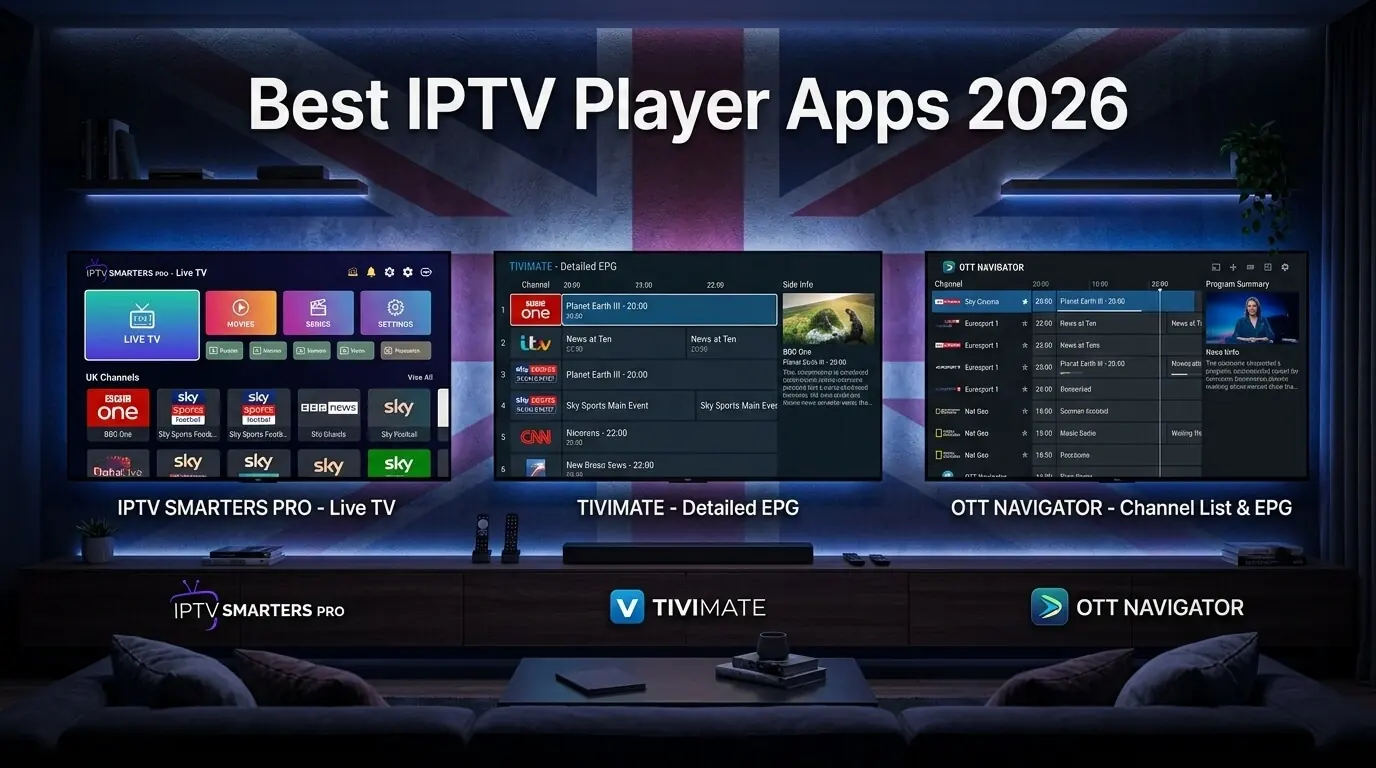
Comparison of the best IPTV player apps for UK viewers in 2026
#1

Rated 9.4 / 10

IPTV Smarters Pro

Installs anywhere, costs nothing, and is running inside five minutes

Smarters Pro is where we send every new UK subscriber, without qualification. It behaves the same on a Fire Stick, an iPhone, a Samsung set and a Windows laptop, and one set of credentials covers all four from the first day. Nobody is going to praise the interface, but it loads quickly, it does not fall over, and in several years it has never been the reason somebody formed a poor first impression of UK IPTV. Our Fire Stick guide has the screen-by-screen version.

Best for

Anyone new to UK IPTV who wants to be watching ten minutes after the credentials land

Price

Free

Platforms
Fire Stick, Android TV, iOS, Android, Windows, Mac, Smart TV (some)
Login formats
Xtream Codes API, M3U URL

Pros

  • Completely free, no subscription tier, no paywall, no catch
  • Runs on virtually every device a UK household owns, iOS very much included
  • Takes Xtream Codes and M3U with no additional configuration either way
  • VOD, series and catch-up all appear from the one login, not three

Cons

  • EPG browsing is less refined than TiviMate on a big screen
  • Looks its age next to TiviMate once you put it on a decent Android TV box
#2

Rated 9.6 / 10

TiviMate

Nothing else on Android TV comes close on looks or speed

TiviMate is what IPTV would look like if a professional television product team started again from nothing. On a Formuler Z11 or an Nvidia Shield it is genuinely impressive. The guide scrolls without hesitation, channel changes feel instantaneous, and multi-view across a Premier League Saturday makes satellite feel like the older technology. The single gap is iOS. If the main screen in your house is an iPad, this is not your app.

Best for

Nvidia Shield and Formuler owners who want a broadcast-grade guide and multi-view sport

Price

Free tier; Premium ~£15/year

Platforms
Android TV, Fire TV (sideload), Nvidia Shield, Formuler, Chromecast with Google TV
Login formats
Xtream Codes API, M3U URL, multi-playlist

Pros

  • The best EPG in the category by some distance: seven days, catch-up markers, series metadata
  • Channel changes are noticeably quicker than any rival player
  • Premium multi-view runs four live feeds at once, which changes how a Saturday of fixtures works
  • DVR recording straight to a USB drive works natively on the Shield

Cons

  • There is no iOS build at all. iPhone and iPad households are back on Smarters
  • The features worth having sit behind Premium, at roughly £15 a year
  • Second-generation Fire Sticks visibly struggle once the full EPG loads
#3

Rated 8.9 / 10

OTT Navigator

The most configurable player here, for people running more than one line

OTT Navigator is what people find at around the six-month mark, once the default players start feeling like a ceiling. Running two UK subscriptions side by side, or holding M3U files in formats Smarters flatly refuses to parse, is where it earns its place. The learning curve is genuine and so is the reward, provided you actually want that much control over the setup.

Best for

Power users juggling several IPTV subscriptions or awkward playlist formats

Price

Free tier; Premium subscription available

Platforms
Android TV, Fire TV (sideload), Android phone / tablet
Login formats
Xtream Codes API, M3U URL, XSPF, JSON

Pros

  • Parses more playlist formats than anything else on this list, including the odd ones
  • Per-user profiles and parental controls built in, at no extra cost
  • Catch-up and archive browsing is better thought through than the competition
  • Updated frequently, which matters more than it sounds over a two-year horizon

Cons

  • Dense interface with a real learning curve. A poor first app for a new subscriber
  • No polished iOS or Smart TV version available
#4

Rated 8.2 / 10

Kodi + PVR IPTV Simple Client

Open source, runs on anything, and free forever

Kodi is the long-running open-source media platform, and the Wikipedia entry is a solid technical primer if you want the full history. Where a house already runs a media server, folding IPTV into the same interface makes obvious sense. Where somebody simply wants live UK television on a Fire Stick without reading documentation, it is the wrong tool. Start on Smarters and come back to Kodi if you outgrow it.

Best for

Households already running Kodi as a media centre who want IPTV inside the same interface

Price

Free

Platforms
Everything: Windows, Mac, Linux, Fire Stick, Android, Raspberry Pi
Login formats
M3U URL, Xtream Codes (via addon)

Pros

  • Entirely open source: no advertising, no telemetry, no subscription
  • Runs on every platform there is, down to a Raspberry Pi and genuinely old hardware
  • Deeply customisable through a very large catalogue of skins and add-ons
  • Puts IPTV and your own media library behind the same interface

Cons

  • Setup is unfriendly to anyone who does not enjoy settings menus
  • EPG configuration is a ten-minute job against Smarters doing it automatically
  • Substantial overhead if all you wanted was live television on a Fire Stick
#5

Rated 8 / 10

Smart IPTV / SIPTV

The only one that installs straight onto Samsung and LG from their own stores

If you own a recent Samsung or LG and buying a Fire Stick purely to watch IPTV feels like paying twice, Smart IPTV justifies its small one-off fee comfortably. Send the M3U link, activate the set, and you are watching in minutes. Both Smart IPTV and SIPTV work with GetTV, and the full walkthrough lives in our Smart TV installation guide.

Best for

Smart TV owners who refuse to buy extra hardware and want a straightforward channel list

Price

One-time ~€5.49 activation per MAC

Platforms
Samsung Tizen TVs, LG WebOS TVs, some Android TVs
Login formats
M3U URL

Pros

  • Installs from the Samsung or LG store. No sideloading, no Fire Stick, no adapter
  • Runs on five-year-old Smart TVs without any slowdown
  • Small one-off activation fee with no recurring subscription

Cons

  • Activation is charged per device, so a three-television house pays three times
  • M3U only, Xtream Codes login is not supported
  • EPG functionality is basic compared to TiviMate or Smarters

IPTV player apps: side-by-side comparison

App Price Xtream Codes iOS EPG polish Score
#1 IPTV Smarters Pro Free Good 9.4
#2 TiviMate Free / £15 yr Best-in-class 9.6
#3 OTT Navigator Free / Premium Great 8.9
#4 Kodi + PVR Free Via addon Configurable 8.2
#5 Smart IPTV / SIPTV ~€5.49 one-off M3U only Basic 8.0

What is the best IPTV player app in 2026?

For most UK viewers, Smarters Pro takes it on versatility alone: free, on every device including iOS, and identical to log into everywhere. Android TV, Formuler and Nvidia Shield owners who want a refined guide and multi-view sport should pay the £15 a year for TiviMate Premium instead. Smart TV owners can skip both and install SIPTV from the manufacturer store.

Is IPTV Smarters Pro free?

The app is, yes, on Fire Stick, Android, iOS, Windows and Mac. What is not free is the subscription you sign into it with, because the app is a player and nothing more. GetTV supplies the Xtream Codes credentials that give Smarters anything to display.

Which IPTV player is best for Windows / Mac?

Smarters Pro has a proper desktop build for both, using the same Xtream Codes and M3U flow as the mobile version. VLC will also open an M3U link if you drag it in, but you lose the guide and the channel categories, which is most of the point. Our Windows and Mac guide covers the full setup.

TiviMate vs IPTV Smarters: which is better?

TiviMate is the better app on Android TV, Nvidia Shield or Formuler, and it is not close. Smarters is the more universal one, behaving identically across iOS, Android, Windows and Mac. We suggest new customers start on Smarters, simply because it runs on whatever is nearest. Once IPTV has proven itself, TiviMate Premium on the main television is the obvious next move.

Can I use the same IPTV login in multiple apps?

Yes. One Xtream Codes login works in Smarters, TiviMate, OTT Navigator and anything else compatible, all at once, bounded only by the concurrency your provider allows. Our standard line permits one active stream; two-connection lines are available on request over WhatsApp.

Are IPTV player apps legal to install in the UK?

Yes. Player apps are neutral software in exactly the way VLC is neutral software. Legality is decided by the subscription you connect to them, not by the app itself. Pair any of these with a licensed UK subscription and the question does not arise. Our Is IPTV legal UK article covers the detail properly.

Get the best IPTV UK subscription today

50,000+ channels, genuine 4K, live within minutes of paying. One, three, six or twelve months, same content on all four. Nothing renews, nothing is added at checkout, nothing is held back for a higher tier.

Chat on WhatsApp