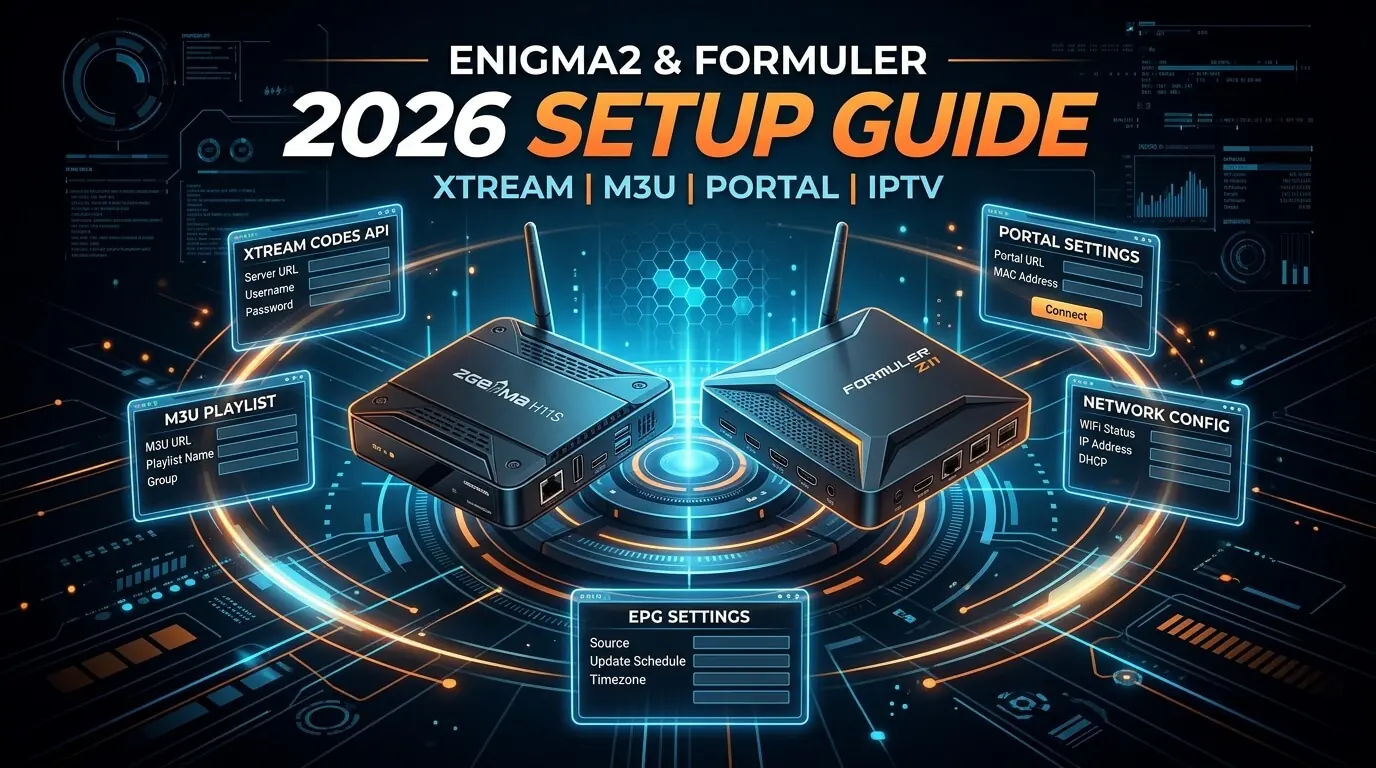
Enigma2 and Formuler IPTV: five methods for Vu+, Zgemma and Formuler Z11
Formuler and Enigma2 boxes are the enthusiasts' choice for
IPTV in the UK: real tuners, hybrid satellite and IPTV bouquets in one zapping
list, and complete control over the channel order. Below are the five methods we support across
every current Formuler (Z10, Z11 Pro, Z11 Pro Max, CC-One) and every
Enigma2 box (Vu+, Zgemma, Octagon, older Formuler F-series), from the two-minute
MYTVOnline route to the five-minute Enigma2 auto-script, all working with
our
£19.99 IPTV UK trial.
Every Formuler box and every Enigma2 receiver
(Vu+, Zgemma, Octagon and the older Formuler F-series) can be running IPTV
within ten minutes. The only decision is which method suits your box. Formuler owners already
have MYTVOnline 3 installed and are watching in under two minutes; Enigma2 owners choose between
a modern Telnet auto-script and the traditional FTP bouquet upload. Every
route below works with the same Xtream Codes credentials or personalised bouquet file from your
iptv subscription, with nothing to buy twice and no per-device charge.
Short on time? The three methods that cover 95% of setups:
MYTVOnline 3: Formuler owners, two minutes, Xtream Codes login
OTT Navigator: the free backup player for Formuler and Android-based hybrids
Two audiences, one guide
Formuler owners: start with
method 1, MYTVOnline 3, and add method 2, OTT Navigator, as a backup. Ignore 3 to 5 entirely.
Enigma2 owners (Vu+, Zgemma,
Octagon), start at method 3, the auto-script. Method 4 is the manual fallback, and
method 5, Xtreamity, bolts VOD onto your existing satellite bouquets.
Choose a method
Tap any method to jump to its full step-by-step setup.
MYTVOnline 3 ships pre-installed on every Formuler and is tuned for that hardware specifically, which makes it comfortably the easiest way to run our iptv service on a Z10, Z11 Pro or CC-One. Xtream Codes login works out of the box, the full guide arrives in seconds, and 4K HEVC HDR with Dolby passthrough is handled natively rather than bolted on.
Log in via
Xtream Codes API or M3U URL
Supported boxes
Formuler Z8 · Z10 · Z11 Pro · Z11 Pro Max · CC · CC-One
Step-by-step
1
Boot the Formuler
HDMI into the television, Ethernet into the box, which we would strongly recommend for stable HD and 4K, then power on. The Formuler home screen appears with MYTVOnline 3 as the large tile at the top.
2
Open MYTVOnline and add a portal
Launch MYTVOnline 3, hit the plus tile, and set Portal Type to Xtream Codes API, which we would take over M3U every time.
3
Enter the credentials
Nickname, then server URL, username and password from your welcome message. Save.
4
Let the guide download
It pulls the full channel list and a seven-day EPG in about thirty seconds. Poster art and film covers keep filling in for a minute afterwards.
5
Turn on 4K and Dolby passthrough
Menu, Settings, Audio, set to Passthrough for Atmos and DTS on films. Then Menu, Video, set output to Auto so HDR and Dolby Vision engage on the 4K UK channels in your subscription.
Tip
A Server unreachable message almost always means the account is not live yet. WhatsApp us to check. Every new iptv trial is provisioned within ten minutes of ordering.
OTT Navigator is the natural companion to MYTVOnline on a Formuler: a completely independent second player handling Xtream Codes, M3U and even Stalker emulation alongside it. Every Formuler owner should install it as a backup, so one app needing an update never costs you an evening. It is also the default choice on non-Formuler Android boxes.
Log in via
M3U URL · Xtream Codes API · Stalker Portal emulation
Supported boxes
Formuler Z8/Z10/Z11/CC · every Android TV box
Step-by-step
1
Install from Google Play
Formuler, Google Play Store, search OTT Navigator. The free tier is fully usable.
2
Add a playlist
Open it, Settings, Playlists, Add, choose Xtream Codes and give it a nickname.
3
Paste the login
Server URL, username and password from your welcome message. Save.
4
Sort the guide
Settings, EPG. It usually auto-detects the XMLTV bundled with your subscription, and we can send the manual URL on request.
5
Turn on catch-up
Long-press any channel carrying a catch-up icon and choose Timeshift. Supported UK channels rewind up to seven days on our iptv service.
Tip
Treat it as the fallback: MYTVOnline day to day, OTT Navigator whenever MYTVOnline wants updating. The same iptv subscriptions credentials work in both.
The quick route on any Enigma2 box: Vu+, Zgemma, Octagon, older Formuler F-series. We send a single wget or curl line, you paste it in over Telnet or SSH, and it builds a fully populated bouquet and reloads the settings. No FTP, no hand-edited bouquet files, no fiddling in an editor. It has replaced the old upload method entirely and works on every current image: OpenATV, OpenPLi, VIX.
Menu, Setup, System, Network, and confirm one of them is enabled. Note the box IP, usually 192.168.x.x. Most images default to root with no password.
2
Ask us for the command
Send the order details over WhatsApp. Back comes a single wget line, generated against your account, which fetches the bouquet installer.
3
Open a Telnet session
On a PC, PuTTY on Windows or Terminal on macOS, then telnet to the box IP and log in as root. On a phone, JuiceSSH on Android or Termius on iOS.
4
Paste and press Enter
It fetches the bouquet, writes it into /etc/enigma2/, appends the include line to bouquets.tv, and reloads. Ten seconds, start to finish.
5
Restart the GUI
On the box: Menu, Standby/Restart, Restart GUI. When it returns, press TV on the remote. The new bouquet sits at the top of the list, grouped by category.
Tip
If your box has no wget, ask for the curl version of the same script. It behaves identically, and every current Enigma2 image ships with at least one of the two.
The traditional route, unchanged since the original Vu+ Duo. We generate a userbouquet file against your subscription and email it over; you drop it into /etc/enigma2/ with FileZilla and append one line to bouquets.tv. Slower than the auto-script, but it needs no Telnet access at all, which matters on boxes where FTP is available and SSH is not.
Log in via
FTP client (FileZilla / WinSCP) → /etc/enigma2/
Supported boxes
Vu+ · Zgemma · Octagon · every Enigma2 box
Step-by-step
1
Turn on FTP
Menu, Setup, System, Network, confirm FTP is enabled. Note the box IP, usually 192.168.x.x. Most images default to root with a blank password.
2
Get the bouquet file
WhatsApp your order details and we email a userbouquet file plus the single line of text to append to bouquets.tv, both tied to your iptv trial credentials.
3
Connect with FileZilla
Host is the box IP, username root, port 21, password blank. Connect, then navigate the right pane to /etc/enigma2/.
4
Upload and edit
Drop the userbouquet file in, then open bouquets.tv in the built-in editor and append the include line we sent, which starts #SERVICE 1:7:1:0:0:0:0:0:0:0:FROM BOUQUET. Save.
5
Reload the settings
On the box: Menu, Standby/Restart, Restart GUI. Press TV on the remote and the new bouquet appears at the top of the list.
Tip
Keep one active IPTV bouquet at a time. Two overlapping bouquets from different iptv subscriptions produce channel-number clashes with your existing satellite and terrestrial channels.
Xtreamity is the Enigma2 equivalent of Smarters Pro: install it once, enter your Xtream Codes credentials on the box, and your entire subscription appears as a Kodi-style Live TV, Movies and Series interface inside Enigma2. The right choice for anyone who wants VOD on a satellite receiver without going near a bouquet file.
Log in via
Xtream Codes API (entered on the box)
Supported boxes
Vu+ · Zgemma · Octagon · every OpenATV/OpenPLi image
Step-by-step
1
Install the plugin
On the box: Menu, Plugins, green button to download, Extensions, Xtreamity, Install. Reboot when prompted.
2
Open Xtreamity
Menu, Plugins, Xtreamity. It asks for a portal on first launch.
3
Enter the Xtream Codes login
Portal name, then server URL, username and password from your welcome message. Save.
4
Browse the three sections
The home screen shows Live TV, Movies and Series, all populated from your iptv service. Navigate with the remote arrows and OK.
5
Pin it to the main menu
Xtreamity, Settings, Add to Main Menu, so it opens from the Enigma2 home screen in one press alongside your satellite bouquets.
Tip
Xtreamity coexists happily with a traditional bouquet. Run both and live TV keeps its bouquet channel numbers while VOD and series live inside Xtreamity.
If you own a Formuler box (Z10, Z11 Pro, CC-One): use
MYTVOnline 3. It is pre-installed, native, and ready in two minutes.
Add OTT Navigator alongside it as a backup player and you are
bullet-proof.
On an Enigma2 box (Vu+, Zgemma, Octagon, older Formuler
F-series): use the auto-script method. Fall back to
manual FTP only if your box lacks Telnet/SSH. Add
Xtreamity if you want VOD and series sitting alongside your existing
satellite bouquets.
Formuler Z10 / Z11 Pro / CC-One owners
Modern Formulers are Android TV boxes with a native IPTV app layered on top. MYTVOnline 3 gives
you a proper 4K HDR experience with Dolby Vision passthrough, which is about the best front end
our iptv service can have. Add TiviMate from the Play Store if
you want an Android TV player alongside MYTVOnline (see our
Nvidia Shield guide for TiviMate
setup; the same instructions apply).
Vu+ Duo, Zgemma H9/H10 & Octagon SF owners
Classic Enigma2. The auto-script is the modern way in: one Telnet paste and the bouquet is live.
What Enigma2 does better than anything else is integration. An IPTV sports channel can sit
in the zapping list immediately next to a Freesat channel, with sensible numbering across both.
No other platform handles hybrid iptv
subscriptions and satellite this cleanly.
Xtreamity for VOD lovers
Enigma2 bouquets are excellent for live television and were never designed for VOD. Xtreamity
bolts a Kodi-style VOD and series interface on top, using the same Xtream Codes credentials as
the bouquet. Install it on any Enigma2 box and you get both halves from
one iptv subscription.
Try our IPTV UK trial on any Formuler or Enigma2 box
Every method on this page works with our 30-day £19.99 IPTV trial:
same Xtream Codes credentials, same personalised bouquet file, same UK support on WhatsApp.
One set of iptv subscriptions credentials covers
Formuler, Enigma2, Fire Stick, Apple TV, smart TV, phone and tablet, with no per-device
fee.
Frequently asked questions
Formuler or Enigma2: which is easier to set up in 2026?
Formuler, by a considerable margin. MYTVOnline 3 is already installed on every current box (Z10, Z11 Pro, CC-One), so entering the Xtream Codes login is the entire job, and you are watching in under two minutes. Enigma2 boxes need either the auto-script, which is fast but wants Telnet, or the FTP bouquet upload, which is slower and more manual. Both sit behind the same GetTV subscription on our side.
Do I need to know Linux to set up IPTV on Enigma2?
No. On the auto-script route we walk the two Telnet commands through with you over WhatsApp. If you can copy and paste, you can configure an Enigma2 box for our iptv service. Every GetTV iptv trial customer with a Vu+ or Zgemma follows the same script, and it works first time on well over 95% of boxes.
Will this work on an older Vu+ Duo or Zgemma H9?
Yes. Everything here works on any Enigma2 box running OpenATV, OpenPLi or VIX images from 2019 onward, and both the auto-script and the FTP route are firmware-agnostic. Xtreamity only needs the plugin repositories that ship with any modern image. Even a Vu+ Duo2 from 2013 handles our iptv uk trial without complaint.
Does the same subscription work on a Formuler and other devices?
Yes. One GetTV subscription covers a Formuler, an Enigma2 box, a Fire Stick, an Apple TV, a smart TV, a phone and a tablet. The same Xtream Codes credentials, or the same M3U URL, go into each. Simultaneous playback is the only cap. Our Fire Stick, Apple TV and Mobile guides cover those routes.
Will the bouquet interfere with my satellite channels?
No. Both the auto-script and the FTP route add an additional bouquet rather than replacing anything. Your existing satellite, free-to-air and terrestrial bouquets stay exactly where they were. Removing IPTV later is equally clean: delete the userbouquet file from /etc/enigma2/, restart the GUI, and nothing else is affected.
Is IPTV on Formuler and Enigma2 legal in the UK?
Installing MYTVOnline, OTT Navigator or Xtreamity and running Enigma2 bouquets is entirely legal. MYTVOnline is Formuler own software, OTT Navigator sits on Google Play, and Enigma2 is a mainstream open-source TV operating system. What decides the legal question is the subscription you sign into. Every GetTV iptv trial runs from licensed servers with UK support on WhatsApp.
How long does Formuler / Enigma2 setup actually take?
Formuler with MYTVOnline: under two minutes, since adding a portal and entering the credentials is the whole job. Enigma2 with the auto-script: under five, including the Telnet paste. Enigma2 with manual FTP: around ten. Every GetTV iptv uk trial customer on a Formuler or Enigma2 box is watching on day one.
Get the best IPTV UK subscription today
50,000+ channels, genuine 4K, live within minutes of paying. One, three, six or twelve months, same content on all four. Nothing renews, nothing is added at checkout, nothing is held back for a higher tier.