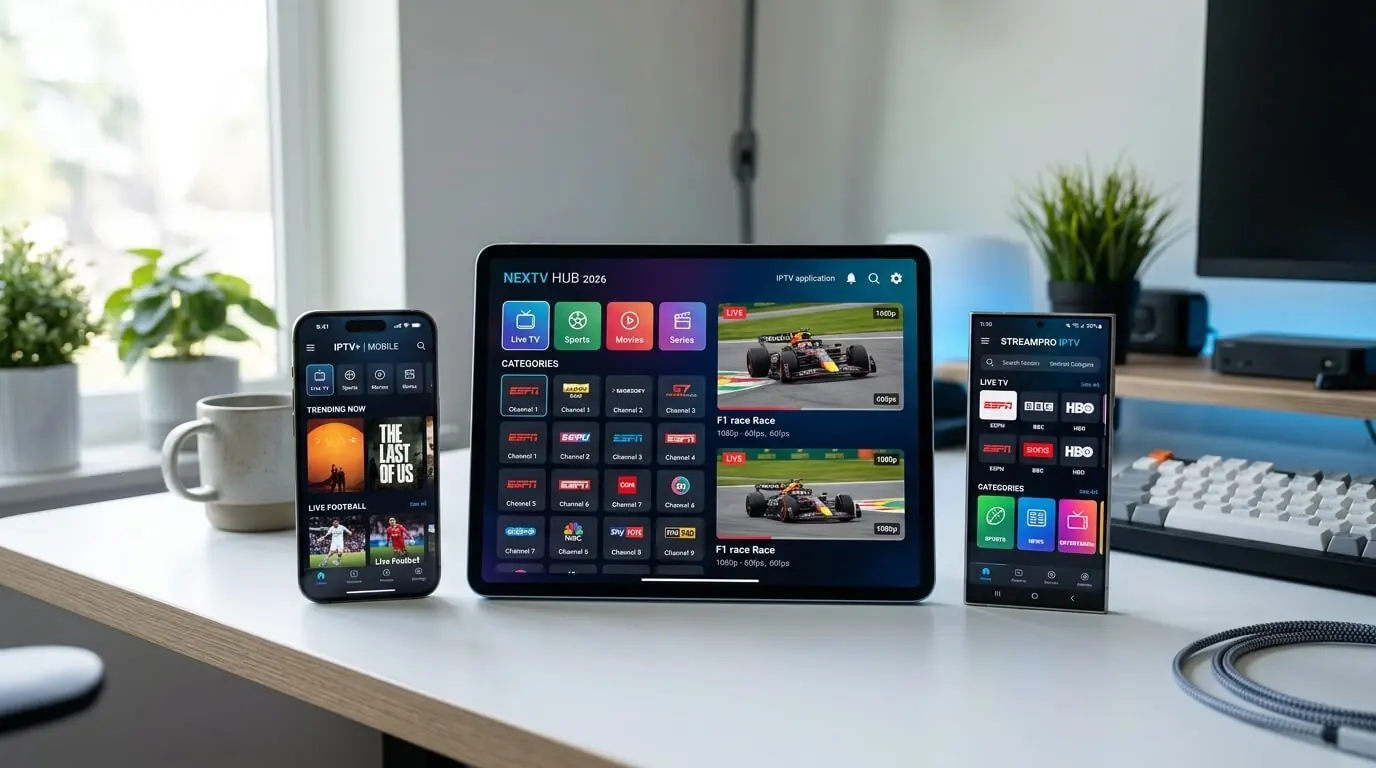
Mobile IPTV: the 3 best apps for Android, iOS, iPad and tablets
Any iPhone, iPad, Android phone or Android tablet can be running IPTV within five minutes.
These are the three mobile apps we actively support for a UK
iptv trial: Hot Player, IBO Player Pro
and IPTV Smarters Pro, all compatible with our
£19.99 iptv uk trial
and multi-device iptv subscriptions.
Every modern iPhone, iPad and Android phone runs IPTV with no additional
hardware whatsoever. The only decision is the player. Below are the three we recommend to anyone
starting a UK iptv subscription or testing our iptv service away from the
television. Whichever you choose, the sequence is identical: install it from the App Store or
Google Play, then either enter the Xtream Codes credentials we sent or send us the device MAC.
That is genuinely all of it.
In a hurry? These three cover essentially every mobile setup:
Hot Player / Hot IPTV: thirty days free, and the best pairing with a monthly iptv uk trial
IBO Player Pro: around EUR 8 for life after seven days free, and the most polished on an iPad
IPTV Smarters Pro: free, Xtream Codes login, and the fastest of the three to set up
About the paid apps
Hot Player and IBO Player Pro each ship with a free trial. Install one, load the playlist, test it properly first.
When the trial ends, you pay that developer on their own site, not us. Tap any card for the exact steps.
Hot Player is our first pick for a mobile iptv trial in 2026, mostly on one number: thirty days free, which is the longest trial of any mainstream mobile player. That means an entire month of testing our iptv uk trial on an iPhone, iPad or Android device before paying anything at all for the app itself. The interface is built for fingers rather than remotes: large posters, a quick guide, cross-device sync and background audio for radio channels. One unlock at EUR 14.99 covers that device permanently.
Log in via
M3U playlist URL (uploaded at hotplayer.app/upload)
App Store on iPhone and iPad, or Google Play on Android. Search Hot Player or Hot IPTV and install the free app. Nothing needs sideloading on either platform.
2
Note the device ID
Launch it. The welcome screen shows a MAC-style device ID unique to that handset or tablet. Screenshot it, because that string is what your playlist gets attached to.
3
Send us the ID
Send it over with the order name. A personal M3U URL is generated against your account and comes back within a few minutes.
4
Upload it at hotplayer.app/upload
On the same phone or any other device, open hotplayer.app/upload in a browser, enter the ID, paste the M3U URL we sent back, and save.
5
Reload and watch
Force-close Hot Player and reopen it. The full UK channel list, sport, films and series load with a populated guide. Thirty days free from there, then hotplayer.app/activation when it expires.
Tips
Two separate pages, and people mix them up constantly: /upload takes the playlist during the free thirty days, /activation is where payment happens afterwards.
Hot Player syncs across devices. Install it on the phone and the tablet, sign in with the same email, and favourites follow you between them.
IBO Player Pro is the most polished paid mobile player and the one to take if you want a poster-grid interface on an iPad or a larger Android tablet. Seven days free is built in, which is long enough to properly test our iptv uk trial, and one payment of roughly EUR 8 unlocks that device permanently. Category posters, a fast guide, catch-up and picture-in-picture on iPad all come as standard.
Log in via
Device Key + MAC (activated on iboproapp.com)
Supported devices
iOS 13+ · iPadOS · Android 6+ · Fire tablets
Step-by-step
1
Install IBO Player Pro
App Store on iPhone and iPad, or Google Play on Android. Search IBO Player Pro. On older handsets it is sometimes listed simply as IBO Player.
2
Note the Device Key and MAC
Open it. The first screen shows both, and both are needed. One screenshot covers it.
3
Send both across
WhatsApp the Device Key and MAC together. We attach your playlist to them and confirm when it is live, generally within ten minutes.
4
Use the free week, then unlock
Seven days completely free. To keep the app, go to iboproapp.com, enter the same Device Key and MAC and pay the one-off EUR 8. Playlist and settings survive untouched.
Tips
The IBO Player Pro payment happens on iboproapp.com and is entirely separate from your iptv subscription with us.
iPad owners: turn on Picture-in-Picture under iOS Settings for the app, and the football keeps playing while you scroll everything else.
Smarters Pro is the free universal option, used by very nearly every UK iptv service including ours. It signs in directly with Xtream Codes, the same username, password and server URL Fire Stick and Apple TV owners get, so there is no MAC upload, no waiting on us, and nothing paid to the developer. It is the quickest way to get an iptv trial running on a phone, comfortably inside sixty seconds.
Log in via
Xtream Codes API (username + password + server URL)
Supported devices
iOS 13+ · iPadOS · Android 6+ · Android tablets
Step-by-step
1
Install Smarters Pro
Google Play on Android or the App Store on iPhone and iPad, searching IPTV Smarters Pro by WHMCS SMARTERS. If your regional store has delisted it, install Smarters Player Lite instead. Same app, same developer, different name.
2
Choose Login with Xtream Codes API
Open it, accept the terms, tap Add New User, then pick Login with Xtream Codes API. Fastest and most reliable route for any iptv subscription.
3
Enter the credentials
Any nickname, then the username, password and server URL from your welcome message. Tap Add User.
4
Start watching
It connects immediately and pulls down live channels, films, series and guide data. Everything is touch-optimised and works over wifi, 4G or 5G.
Tips
On iOS, where Smarters Pro has been delisted regionally, Smarters Player Lite is the identical app under another name. Install that.
Turn on External Player in Settings and choose VLC if one specific channel refuses to open. That is a codec quirk rather than a problem with the stream.
Shortest possible answer: install IPTV Smarters Pro first, because it is free
and activates in under a minute, which is exactly what you want when testing an
iptv trial. On an iPad or a larger Android tablet where you want a poster-grid
interface, add IBO Player Pro. Its seven days cover the rest of your first
week and one EUR 8 payment removes the paywall permanently. And if you are running a
monthly iptv uk trial and want the longest free window of all,
Hot Player's 30-day trial is unbeatable.
Android phone and tablet owners
All three are on Google Play. On Android we would pair
Smarters Pro with Hot Player: one free with an Xtream Codes login, one paid
with a thirty-day trial and cross-device sync, so there is always a working fallback installed.
iPhone and iPad owners
iOS 13 and later runs all three. iPad owners should lead with IBO Player
Pro for the tablet interface and picture-in-picture. On an iPhone, Smarters Pro is the
quickest to set up. Where either has been delisted in your regional store,
Smarters Player Lite, same developer and different name, is
always available as a drop-in replacement.
Which app for my iptv uk trial?
For a first iptv uk trial we would say IPTV Smarters Pro. You will be
watching within sixty seconds of the credentials arriving on WhatsApp. If you move to a longer
iptv subscription later, install Hot Player alongside it so there is always
synced playlist across every phone and tablet in the house.
Try our iptv uk trial on any of these apps
Every app on this page works with our 30-day £19.99 iptv trial:
same Xtream Codes credentials, same MAC upload route, same UK support on WhatsApp. Install one
of the paid apps and the developer own free trial runs
alongside our subscription, so both can be judged properly before
spending a penny more.
Frequently asked questions
Which mobile IPTV app is best in 2026?
For a mobile iptv trial we would rank them: Hot Player first, on the strength of thirty days free and cross-device sync. IBO Player Pro second, for the poster-grid interface, seven days free and EUR 8 for life. Smarters Pro third as the free universal fallback. All three take our iptv uk trial credentials and all three run on iPhone, iPad, Android phones and Android tablets.
Do I need a paid IPTV app on my phone or tablet?
No. Smarters Pro is free on both stores, permanently. Hot Player and IBO Player Pro carry free trials of thirty and seven days respectively, so you can install, load the playlist and test properly before spending anything. When you do pay, it goes to those developers on their own sites, hotplayer.app/activation and iboproapp.com, and never through us.
Can one subscription cover the phone and the television?
Yes. Every GetTV subscription is multi-device. Smarters Pro on the iPhone at the gym, IBO Player Pro on the iPad in bed, XOTT or Hot Player on the smart TV downstairs, all against the same iptv trial. What is capped is simultaneous playback, not the number of installs. Our Smart TV guide covers the television side.
What if Smarters Pro is missing from the App Store?
Several Apple regions have delisted IPTV Smarters Pro. Where yours has, install Smarters Player Lite instead. It is an identical app from the same developer under a different listing, and it takes the same Xtream Codes credentials we send. On an iPad, IBO Player Pro and Hot Player are both viable alternatives too.
Does mobile IPTV support 4K on tablets?
Yes. Hot Player, IBO Player Pro and Smarters Pro all handle 4K HEVC on any recent iPhone from the 11 onward, iPad Pro, Fire tablet or Android tablet with a 4K panel. For smooth 4K away from home, you want Wi-Fi 6 or a 5G connection holding at least 25 Mbps down.
How long does the mobile IPTV setup take?
Under five minutes end to end. Installing from a store takes about thirty seconds and opening the app ten. From there it is either pasting the Xtream Codes credentials we sent, which is instant on Smarters Pro, or sending us a MAC or Device Key so we can attach the playlist, which takes two to ten minutes on our side for Hot Player and IBO. That is the exact sequence every GetTV iptv uk trial customer follows on a phone.
Is a mobile iptv service safe to use on 4G or 5G?
Yes. Everything moves over ordinary HTTPS on the same ports YouTube and Netflix use, so no UK network needs special handling. If a carrier shapes video, the low-bandwidth mode in the app usually settles it. On an unlimited plan people run this on trains, underground and abroad without thinking about it.
Get the best IPTV UK subscription today
50,000+ channels, genuine 4K, live within minutes of paying. One, three, six or twelve months, same content on all four. Nothing renews, nothing is added at checkout, nothing is held back for a higher tier.